
Did you know that 75% of users never scroll past the first page of search engine results? This shows how vital a strong online presence is, even for new websites. Making your site search engine friendly is key to being seen on Google.
Welcome to our detailed guide on getting started with WordPress SEO! We’ll show you the main steps to make your site better. This will help you get more visitors to your website.
Key Takeaways
- Understand the basics of WordPress SEO
- Learn how to optimize your site’s structure and content
- Discover the importance of keyword research
- Find out how to improve your site’s loading speed
- Get tips on creating high-quality, engaging content
Understanding SEO: What Is It and Why It Matters
If you’re new to digital marketing, learning about SEO is key. SEO, or Search Engine Optimization, helps your website show up more on search engines like Google. It uses different techniques to make your site more visible.
To get SEO, start with the basics. SEO makes your website appealing to search engines. This boosts your site’s ranking on search engine results pages (SERPs).
The Basics of SEO
SEO has several main parts, like keyword research, on-page optimization, and link building. Keyword research finds the terms people use to find content like yours.
On-page optimization makes your web pages better for ranking and getting more traffic. This includes tweaking title tags, meta descriptions, headings, and content.
| SEO Component | Description | Importance |
|---|---|---|
| Keyword Research | Identifying relevant search terms | High |
| On-Page Optimization | Optimizing web page elements | High |
| Link Building | Acquiring high-quality backlinks | Medium |
How Search Engines Work
Search engines like Google use complex algorithms to crawl, index, and rank websites. Knowing how these algorithms work helps you optimize your site better.
First, search engines crawl to find new and updated content. Then, they index this content, storing and organizing it. Lastly, they rank the indexed content based on relevance and quality.
Importance of SEO for Websites
SEO is critical for any website. It affects your site’s visibility and ability to attract organic traffic. A well-optimized site can lead to better search engine rankings, more visitors, and more conversions.
By understanding and using SEO strategies, you can boost your website’s online presence. This drives more targeted traffic and helps you reach your online goals.
Setting Up Your WordPress Site for SEO
Setting up your WordPress site right is key to a good SEO campaign. A well-set site boosts your search rankings and makes browsing better. Here, we’ll show you how to set up your WordPress site for top SEO.
Choosing a Suitable Hosting Provider
Your hosting provider is vital for SEO. A good host makes your site fast, always up, and secure. When picking a host, look at server speed, uptime, and support. A fast, reliable host is essential for SEO. Choose hosts that specialize in WordPress for the best performance.
Popular hosts for WordPress include WP Engine, SiteGround, and Bluehost. They offer easy WordPress setup, updates, and support. This makes site management simpler.
Installing WordPress SEO Plugins
SEO plugins make optimization easier by managing meta tags and content. Yoast SEO is a top choice for WordPress. It helps you manage titles, descriptions, and keywords easily.
To install Yoast SEO, go to your WordPress dashboard. Click “Plugins” and “Add New.” Search for “Yoast SEO,” install, and activate it. Then, you can set up the plugin in your dashboard.
Configuring Your WordPress Settings
WordPress settings are important for SEO. First, make sure your permalink structure is good. Go to “Settings” > “Permalinks” and pick a title-based structure. This makes your URLs better for SEO.
Also, set your site to not index if it’s not ready. You can do this under “Settings” > “Reading.” When ready, turn on search engine visibility.
“The better your site is set up, the better it will perform in search engine rankings.”
By following these steps, you’ll set up your WordPress site for SEO success. A strong foundation is key to better search rankings and more site visitors.
Keyword Research: Finding the Right Terms
Keyword research is key to making your WordPress site better for search engines. It’s about finding out what people search for when they look for content like yours. Knowing these keywords helps you create content that meets your audience’s needs and boosts your site’s Google ranking.
Tools for Keyword Research
There are many tools for keyword research. Google Keyword Planner, Ahrefs, SEMrush, and Moz Keyword Explorer are some of the most used. They give you info on search volume, competition, and related keywords. This helps you plan your content better.
Google Keyword Planner is a good place to start, perfect for beginners. It suggests keywords based on your site or specific terms. For more detailed analysis, Ahrefs and SEMrush offer insights into competitors and content gaps.
Long-Tail vs. Short-Tail Keywords
It’s important to know the difference between long-tail and short-tail keywords. Short-tail keywords are short and general, with lots of searches but lots of competition too. On the other hand, long-tail keywords are more specific, with fewer searches and less competition. This makes them easier to rank for.
“WordPress SEO” is a short-tail keyword, while “WordPress SEO tips for beginners” is a long-tail keyword. Going for long-tail keywords can bring more targeted visitors to your site.
| Keyword Type | Characteristics | Example |
|---|---|---|
| Short-Tail | High search volume, high competition | WordPress SEO |
| Long-Tail | Lower search volume, less competition | WordPress SEO tips for beginners |
Analyzing Competitor Keywords
Looking at your competitors’ keywords can help you improve your own strategy. By seeing what keywords your competitors rank for, you can find gaps in your content. This gives you chances to beat them in search rankings.
Tools like Ahrefs and SEMrush let you check your competitors’ keywords. This info helps you refine your content and aim for keywords that will bring more visitors to your site.
Creating SEO-Friendly Content
Making content that speaks to your audience is key for SEO success. You must create high-quality, engaging content that adds value to your readers.
Writing for Your Audience
First, understand who your audience is. Know their needs, likes, and problems to make content they’ll connect with. Write in a friendly tone and language they can understand. Stay away from jargon or technical terms that might confuse them.
To write well for your audience, keep these tips in mind:
- Speak in a conversational way to engage your readers.
- Focus on giving value and insights that matter to them.
- Use stories to make your content more relatable.
Incorporating Keywords Naturally
It’s important to add keywords naturally to your content for SEO. Avoid stuffing keywords as it can harm your ranking. Instead, use keywords where they naturally fit in your content.
Here are some tips for using keywords:
- Use keywords in your headings and subheadings.
- Include keywords in your meta title and description.
- Use different forms of your keywords throughout your content.
“The key to effective SEO is not just about keywords; it’s about creating content that is valuable and relevant to your audience.”
The Role of Content Structure
The way you structure your content is very important for SEO. A well-organized article is easier to read and understand for both your audience and search engines. Use headings, subheadings, and bullet points to organize your content.
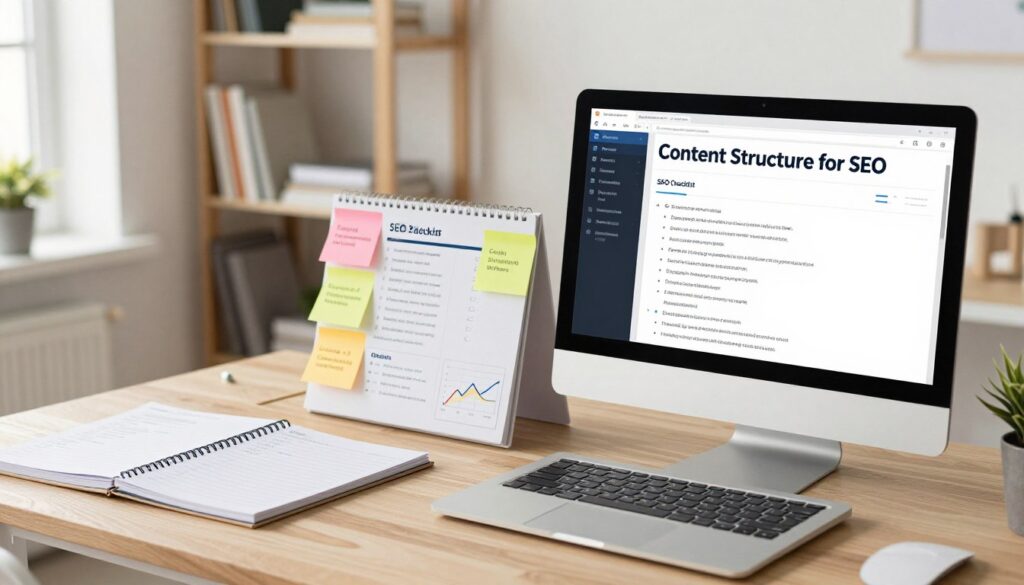
- Use H1, H2, and H3 tags to create a clear hierarchy.
- Break up long paragraphs into shorter, more manageable sections.
- Use bullet points and numbered lists to present complex information in an easily digestible format.
Optimizing Page Titles and Descriptions
Creating the perfect page title and meta description is key to your site’s success. They are often the first thing people see in search results. This makes them very important for getting users to visit your site.
To make them work best, you need to know how to write great meta titles and descriptions. Let’s look at the details of each.
Crafting Compelling Meta Titles
Meta titles, or title tags, are the titles of your web pages in search engine results. They should be descriptive and concise. This helps both users and search engines understand your page’s content.
- Keep them under 60 characters to ensure they display fully in search results.
- Include your primary keyword near the beginning to enhance relevance.
- Make sure they are unique across your site to avoid confusion.
Writing Effective Meta Descriptions
Meta descriptions are short summaries of your web pages in search engine results. They should be compelling and informative. This encourages users to click through to your site.
- Keep them under 160 characters to avoid truncation.
- Use your target keywords to improve relevance and bolding in search results.
- Include a call-to-action to entice users to click through.
By focusing on these elements, you can boost your site’s SEO and attract more visitors. Remember, optimizing page titles and descriptions is an ongoing task. It requires regular updates to keep your content fresh and relevant.
Using Headings and Subheadings Correctly
Using headings and subheadings right is key to SEO success. They help organize your content, making it clear for both readers and search engines. This structure is vital for your WordPress site’s visibility.
The Importance of H1, H2, and H3 Tags
Header tags (H1, H2, H3, etc.) show the content’s order on a webpage. The H1 tag is for the main title. H2 and H3 tags are for subheadings and sub-subheadings.
Here’s a breakdown of how to use these tags effectively:
- H1 Tag: Use once per page for the main title. It should contain the primary keyword and describe the content accurately.
- H2 Tags: Use for main subheadings that break up the content into sections. These should include relevant secondary keywords.
- H3 Tags: Use for sub-subheadings under H2 tags to further divide the content. They help in highlighting specific points within a section.
Organizing Content with Headings
Organizing your content with headings makes it easier to read and boosts SEO. Here’s how:
- Start with a clear H1 tag that represents the main topic of your page.
- Divide your content into sections using H2 tags, ensuring each section has a distinct topic related to your main topic.
- Under each H2 section, use H3 tags to further elaborate on specific points or subtopics.
A well-structured content hierarchy helps search engines understand your content. It also makes your content more scannable for users.
| Heading Tag | Purpose | Example |
|---|---|---|
| H1 | Main title of the page | WordPress SEO for Beginners |
| H2 | Main subheadings | Understanding SEO Basics |
| H3 | Sub-subheadings | The Importance of Keyword Research |
By correctly using headings and subheadings, you can significantly improve your WordPress site’s SEO. This makes your content more accessible to your audience.
Image Optimization for Better SEO
Improving your website’s SEO means making images search engine friendly. This boosts your site’s visibility and user experience. Image optimization includes using good alt text, optimizing file names, and compressing images for faster loading.
Using Alt Text Effectively
Alt text is key for image optimization. It tells search engines what the image is about. Effective alt text should be clear, short, and include the right keywords. This helps with SEO and makes your site more accessible.
Here are some tips for writing good alt text:
- Describe the image clearly and accurately.
- Add relevant keywords if they fit.
- Keep it short, under 125 characters.
Compressing Image Sizes for Faster Loading
Big image files can slow down your site, hurting user experience and SEO. Compressing image sizes makes them smaller without losing quality. WordPress has many tools and plugins for this.
It’s important to find the right balance when compressing images. Too much compression can hurt image quality. But too little won’t make a big difference. Finding the right balance ensures your images look great and load fast.
Building Internal Links for Navigation
Internal linking is key to SEO and makes your website easier to use. It helps visitors find more info and helps search engines understand your site’s layout.

What Are Internal Links?
Internal links connect different pages on the same website. They are vital for a few reasons. They help users find more info and make it easier for search engines to index your site.
Using internal links well can spread out your site’s authority. When a page links to another, it shares some of its authority. This can help the linked page rank better.
Best Practices for Linking to Relevant Content
To get the most out of internal linking, follow these tips:
- Link to relevant content: Make sure the pages you link to match the current content. This improves user experience and helps search engines understand the context.
- Use descriptive anchor text: Use clear anchor text instead of “click here.” This tells users what they’ll find when they click.
- Avoid over-linking: While internal linking is good, too much can be bad. Too many links can confuse users and make each link less important.
- Link to deep pages: Don’t just link to your homepage or main category pages. Link to deeper pages with valuable info for users.
By following these strategies, you can make your site easier to navigate, improve user experience, and boost your SEO. Internal linking is a simple yet powerful tool for SEO.
Improving Website Speed and Performance
In today’s digital world, a fast-loading website is key to keeping visitors and boosting SEO. A slow site can cause people to leave quickly, hurting your search rankings.
Importance of Page Load Speed
Page load speed greatly affects how users feel about your site. Even a few seconds’ delay can lower conversions a lot. Search engines like Google also look at page speed when ranking sites.
Faster websites mean happier users, leading to more engagement and fewer people leaving. To speed up your site, try optimizing images, minifying code, and using browser caching.
Tools to Test Site Performance
To make your website faster, first check how fast it is now. Many tools can help, including:
- Google PageSpeed Insights
- GTmetrix
- Pingdom
These tools give you a detailed look at your site’s speed and suggest ways to get faster. For example, Google PageSpeed Insights checks your site and offers tips to speed it up.
| Tool | Key Features | Usefulness |
|---|---|---|
| Google PageSpeed Insights | Analyzes performance on both mobile and desktop devices, provides optimization suggestions | High |
| GTmetrix | Offers detailed reports on page load times, provides recommendations for improvement | High |
| Pingdom | Tests page load speed from different locations, provides performance grades | Medium |
By using these tools and making the suggested changes, you can make your website much faster. This will make users happier and help your SEO too.
Mobile Optimization: SEO for Mobile Users
Most people now use their phones to surf the web. Making sure your WordPress site works well on mobile is key for SEO success. It’s not just about being accessible on phones. It’s about giving users a smooth experience that search engines like Google notice and reward with better rankings.
Responsive Design Considerations
A responsive design is the heart of mobile optimization. It makes sure your WordPress site looks great on all devices, big or small. When picking a theme, choose one that’s labeled “responsive” or “mobile-friendly.”
Key considerations for responsive design include:
- Flexible grids and layouts
- Images that scale appropriately
- Media queries to apply different styles based on device characteristics
Plugin Solutions for Mobile SEO
Even with a responsive theme, there are plugins that can boost your site’s mobile SEO. These plugins can speed up your site, make it easier to navigate on phones, and tailor content for mobile users.
Some popular plugin solutions include:
- WP Rocket for caching and performance optimization
- Smush for image compression
- Mobile Menu for simplifying navigation on mobile devices
| Plugin | Function | Impact on Mobile SEO |
|---|---|---|
| WP Rocket | Caching and performance optimization | Improves page load times, making your site faster and better for SEO |
| Smush | Image compression | Smaller images mean faster page loads on mobile devices |
| Mobile Menu | Simplifying navigation on mobile devices | Makes it easier for users to get around your site on their phones |
Leveraging Social Media for SEO
Social media marketing is now a must for better search engine rankings. It helps drive traffic, boost engagement, and grow your online presence.
How Social Signals Impact SEO
Social signals like likes, shares, and comments affect your website’s SEO. The exact way they influence rankings is complex. Yet, it’s clear they boost your content’s visibility and trustworthiness.
Here’s how social signals help your SEO:
- Increased Visibility: Shared content reaches more people, leading to more backlinks and mentions.
- Improved Credibility: High social media engagement makes your brand more trustworthy, encouraging more shares.
- Driving Traffic: Social media can send a lot of visitors to your site, if your content resonates with them.
Sharing Your Content on Social Platforms
To get the most SEO benefits from social media, share your content well across platforms. Here are some tips:
- Optimize Your Profiles: Make sure your social media profiles are complete, up-to-date, and match your brand.
- Content Calendar: Use a content calendar to plan and schedule your posts for consistency and efficiency.
- Engage with Your Audience: Reply to comments, messages, and mentions to grow a loyal community around your brand.
By adding social media marketing to your SEO plan, you can improve your online presence and attract more visitors to your WordPress site. For more WordPress SEO help, look into plugins and tools that can boost your site’s search engine performance.
Monitoring and Analyzing Your SEO Progress
Tracking your SEO progress is key to knowing if your strategy works. It helps you spot areas to get better. By watching important metrics, you can make your website more visible on search engines.
Tools for Measuring SEO Success
Tools like Google Search Console and SEMrush help measure SEO success. They show you how your keywords rank, your traffic, and any technical issues. When starting with WordPress SEO, using these tools makes tracking easier.
Understanding Google Analytics Basics
Google Analytics is great for learning about your website’s visitors. Beginners should look at organic traffic, bounce rate, and conversion rates. These insights help you understand your SEO better and improve your WordPress SEO plan.