

Did you know thousands of WordPress sites get hacked every day? This scary fact shows how vital it is to learn WordPress security basics to keep your online space safe.
Securing your WordPress site might seem tough, but it’s key to protect your data and visitors. A WordPress security guide can show you the important steps to keep your site safe from cyber threats.
Knowing the basics of WordPress security is essential to create a safe online space. This article will cover the main points every beginner should know.
Key Takeaways
- Understanding the importance of WordPress security
- Essential steps to secure your WordPress site
- Best practices for maintaining a secure online presence
- Common WordPress security threats and how to avoid them
- Tools and resources for improving WordPress security
Understanding WordPress Security
Protecting your WordPress site from cyber threats is key. WordPress is often targeted by hackers. Keeping your site secure is vital for your data and user trust.
What is WordPress Security?
WordPress security means keeping your site safe from unauthorized access. It involves securing user accounts, fighting malware, and keeping data safe. Good security uses technical, administrative, and operational controls.
Why is Security Important?
Security is critical because a hacked site can cause big losses. These losses include data breaches, financial theft, and damage to reputation. A secure site keeps data safe and builds trust, essential for online businesses.
Looking at the effects of a security breach shows why security matters:
| Consequence | Description | Impact |
|---|---|---|
| Data Loss | Loss of critical data due to hacking or malware. | High |
| Financial Theft | Theft of financial information or transactions. | High |
| Reputation Damage | Loss of user trust and damage to the site’s reputation. | High |
Common Security Threats
WordPress sites face threats like malware, brute force attacks, and SQL injection. Malware can spread through weak plugins or themes. Brute force attacks guess login details. SQL injection attacks can steal or corrupt data.
Some common threats include:
- Malware and viruses
- Brute force attacks
- SQL injection
- Cross-site scripting (XSS)
Knowing these threats and acting early can greatly improve your site’s security. Next, we’ll look at practical steps to secure your WordPress site.
Setting Up a Secure Hosting Environment
To keep your WordPress site safe, start with a secure hosting environment. Your hosting provider is key to your site’s security and performance.
A good hosting provider fights off cyber threats. Look at server security, data center location, and customer support when choosing.
Choosing a Reliable Hosting Provider
Finding a trustworthy hosting provider is vital for your WordPress site’s security. Seek providers with firewall protection, malware scanning, and intrusion detection.
WP Engine, SiteGround, and Kinsta are known for their security. They offer many ways to protect your site from threats.
Importance of SSL Certificates
An SSL certificate is key for a secure connection between your site and visitors. It keeps sensitive data safe from hackers.
SSL certificates are also good for SEO. Google likes sites with SSL certificates, giving you an edge in search results.
Recommendations for Secure Hosting
Here are tips for a secure hosting environment:
- Choose a hosting provider with strong security and good customer support.
- Make sure your hosting provider offers SSL certificates and turns them on by default.
- Keep your hosting and WordPress site updated to avoid vulnerabilities.
- Use strong passwords and limit login attempts to stop brute-force attacks.
By following these security best practices and setting up a secure hosting environment, you can greatly improve your website’s security. This will help protect it from many online threats.
Keeping WordPress Core, Themes, and Plugins Updated
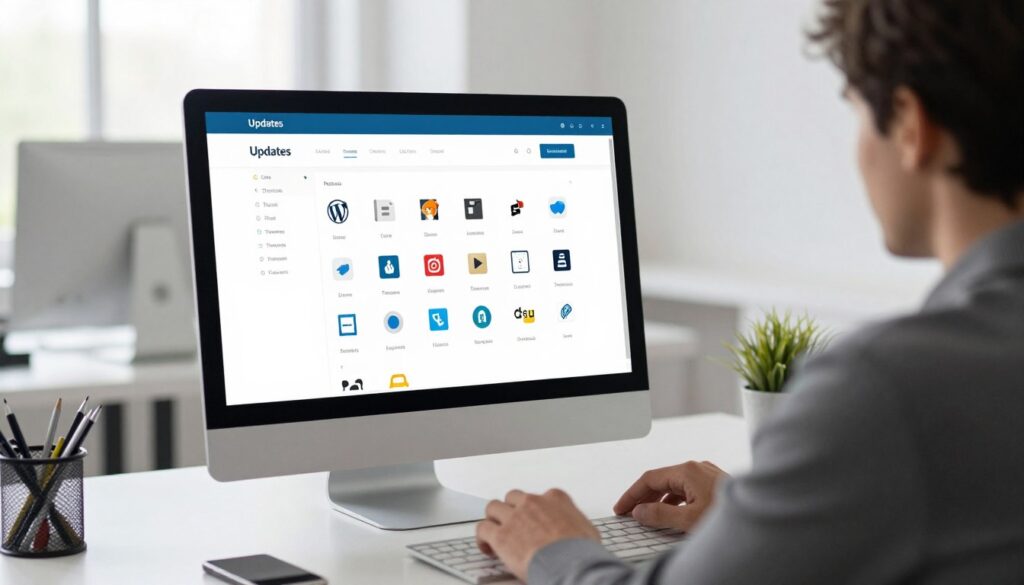
Keeping your WordPress core, themes, and plugins updated is a key WordPress security tip. Updates often fix security issues, improve performance, and add new features. They make sure your site works well with the latest WordPress.
How to Update WordPress Core
Updating WordPress core is easy. Here’s how to do it:
- Log in to your WordPress dashboard.
- Navigate to the Dashboard > Updates section.
- If an update is available, click on “Update to version [X.X.X].”
- Wait for the update to complete, and then verify that your site is functioning correctly.
Updating Themes and Plugins
It’s also important to update your themes and plugins. This keeps them working well with the latest WordPress and fixes security issues.
- For themes: Navigate to Appearance > Themes, and check for updates. Update all themes, not just the active one, as inactive themes can pose a security risk if not updated.
- For plugins: Go to Plugins > Installed Plugins, and update any plugins that require updating. It’s a good practice to update all plugins, even if they’re not currently in use, to prevent vulnerabilities.
Benefits of Regular Updates
Regular updates offer many benefits, including:
- Enhanced Security: Updates often include patches for known security vulnerabilities, reducing the risk of your site being compromised.
- Improved Performance: Updates can improve the speed and efficiency of your site.
- Better Compatibility: Ensures that your themes and plugins work seamlessly with the latest WordPress core, reducing the likelihood of compatibility issues.
- New Features: Updates can introduce new features and functionalities to your site, improving user experience.
By keeping your WordPress core, themes, and plugins updated, you greatly improve your site’s security, performance, and user experience.
Utilizing Strong Passwords and User Management
Securing your WordPress site starts with strong passwords and effective user management. A robust security strategy is key to protect your site from unauthorized access and threats.
Creating Strong Passwords
Using strong, unique passwords is a simple yet effective way to boost your WordPress site’s security. A good password mixes uppercase and lowercase letters, numbers, and special characters. Avoid using names, birthdays, or common words as they are easy to guess.
- Use a mix of characters, including uppercase and lowercase letters, numbers, and special characters.
- Avoid using easily guessable information such as names or birthdays.
- Consider using a password manager to generate and store complex passwords.
Importance of Unique User Roles
Assigning unique user roles is vital for user management. WordPress offers several default user roles, each with different capabilities:
- Administrator: Has full control over the site, including managing other users.
- Editor: Can manage posts, including those of other users.
- Author: Can publish and manage their own posts.
- Contributor: Can write and manage their own posts but cannot publish them.
- Subscriber: Can only manage their profile.
By assigning the right role to each user, you can limit access to sensitive areas. This reduces the risk of unauthorized changes.
Two-Factor Authentication
Two-factor authentication (2FA) adds an extra layer of security. It requires users to provide a second form of verification, in addition to their password. This can greatly reduce the risk of unauthorized access, even if a password is compromised.
To implement 2FA on your WordPress site, use plugins like Wordfence or Two-Factor. These plugins offer various methods for the second factor, including:
- Authenticator apps
- SMS-based verification
- Backup codes
By combining strong passwords, unique user roles, and two-factor authentication, you can greatly enhance your WordPress site’s security. This protects it against various threats.
Installing a Security Plugin
To keep your WordPress site safe, you must install a good security plugin. These plugins fight off threats like malware, phishing, and brute force login attempts.
Popular Security Plugins to Consider
Many security plugins are available for WordPress. Each has its own features and benefits. Wordfence, Sucuri, and iThemes Security are among the most popular. They offer strong security, including firewalls, malware scans, and login protection.
When picking a plugin, think about what your site needs. For example, e-commerce sites need plugins that protect transactions and detect fraud.
Configuring Your Security Plugin
After installing a plugin, setting it up right is key. Begin by checking the plugin’s settings and adjusting them for your site. Most plugins have a setup wizard to help you.
Focus on settings like firewall rules, how often to scan for malware, and login security. Make sure you know what each setting does for your site’s safety.
Regular Security Scans
Regular security scans are vital for keeping your site safe. Most plugins let you schedule scans for daily, weekly, or monthly checks. These scans look for malware, vulnerabilities, and other security problems.
It’s also key to check scan results often and act quickly on any issues found. This way, you can stop security breaches before they happen and keep your site safe.
Implementing Regular Backups
One of the most critical steps in protecting your WordPress website is implementing regular backups. This simple step helps guard against security threats. Backups act as a safety net, letting you restore your site to a previous state if needed.
Importance of Backups
Regular backups are key for several reasons. They help keep your business running by reducing downtime in case of disaster. They also protect against hacking and malware, letting you go back to a clean site version. Plus, they’re vital for testing updates and changes safely.
Backup Solutions for WordPress
There are many backup solutions for WordPress, meeting various needs. Some top choices include:
- Plugin-based backups: Plugins like UpdraftPlus, VaultPress, and BackupBuddy offer automated backup schedules, easy restoration, and cloud storage integration.
- Manual backups: You can manually backup your WordPress site by exporting your database via phpMyAdmin and downloading your files using an FTP client.
- Hosting provider backups: Many hosting providers offer backup services as part of their packages. These can be convenient but may have limitations in terms of frequency and restoration flexibility.
How to Restore Your Site from Backup
Restoring your WordPress site from a backup depends on the method used. For plugin-based backups, most plugins offer a simple restoration process in the WordPress dashboard. For manual backups, you’ll need to import your database backup via phpMyAdmin and upload your files using an FTP client. It’s important to test your backups regularly to ensure they can be restored successfully.
By setting up a reliable backup strategy, you’re actively protecting your WordPress website from security threats. This ensures your site’s continuity.
Configuring Security Settings
Setting up your WordPress security is key to keeping your site safe. A good security setup can lower the chance of your site getting hacked.
Adjusting WordPress Settings for Better Security
Start by tweaking your WordPress settings for better security. Change the default login URL to stop unwanted access. Use a security plugin to do this and limit dashboard access.
Also, make sure users only have the access they need. This helps keep your site secure.
Limiting Login Attempts
Brute-force attacks are a big threat to WordPress sites. These attacks guess login details using automated tools. Limiting login attempts can stop these attacks.
Use plugins like Wordfence or MalCare to limit login attempts from one IP in a set time. This simple step can make your site much safer.
Disabling Directory Listings
Directory listings can show too much about your WordPress site. This includes your uploads directory structure. To stop this, add Options -Indexes to your .htaccess file.
This stops attackers from seeing your directories. It also lowers the risk of your site’s info getting out.
By following these steps, you can make your WordPress site more secure. Always check and update your security settings to keep your site safe online.
Monitoring Your Website for Threats
Keeping your website safe means always being on the lookout and using the right tools. By watching for threats closely, you can catch and fix security problems early. This keeps your WordPress site safe and sound.
Tools for Website Monitoring
There are many tools to help watch over your website’s security. Some top ones include:
- Security Plugins: Plugins like Wordfence and Sucuri do a lot to keep your site safe. They scan for malware and track login attempts.
- Uptime Monitoring Services: Services like UptimeRobot check if your site is up and running. They alert you if it’s not, which could mean a security problem.
- Google Search Console: This tool keeps an eye on how your site shows up in Google searches. It can also warn you about security issues.
Signs of a Security Breach
Spotting a security breach early is key. Watch for these signs:
- Unusual Login Activity: If you see lots of failed login tries or logins from places you don’t know, it’s a red flag.
- Malware Detection: If your security tools or services find malware, it’s a big problem.
- Unexplained Changes: If your site changes without you knowing, it’s a sign of trouble.
- Slow Performance: If your site starts running slow, it might be under attack by malware or a DDoS attack.
Responding to Security Threats
If you think your site has been hacked, act fast:
- Activate Your Incident Response Plan: Have a plan ready that tells you what to do if you get hacked.
- Change Passwords: Right away, change all passwords, but make sure to update admin accounts first.
- Update and Patch: Make sure your WordPress, themes, and plugins are all up-to-date.
- Scan for Malware: Use your security tools to find and remove any malware.
- Notify Your Users: If you think user data has been stolen, tell your users right away.
By staying alert and proactive, you can keep your WordPress site safe from cyber threats. This helps you keep your online presence secure.
Educating Yourself and Your Team
Keeping your online presence safe is more than just setting up security. It’s about creating a culture of security awareness. By teaching yourself and your team about WordPress security, your site can better face new threats.
Awareness is Key
In today’s digital world, knowing about security is key. Understanding its importance and knowing about threats can lower your site’s risk of being hacked. A team that knows about security can handle threats better.
Staying Informed
To keep up with security news, follow trusted sources like the WordPress news site and blogs like Sucuri and Wordfence. They share important security tips for WordPress and help you avoid threats.
By focusing on security awareness and staying current, you can keep your WordPress site safe. This is a big part of a complete WordPress security guide.